

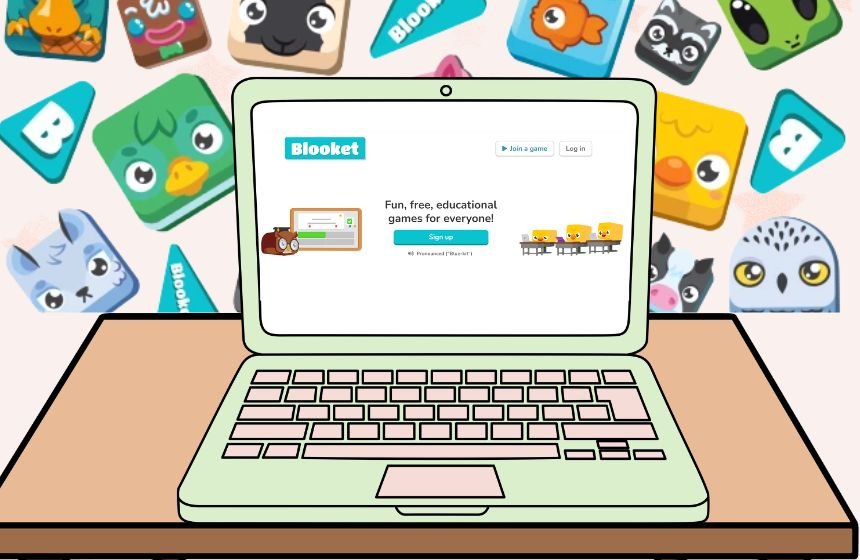
In today’s digital world, everything has become a fun, even a boring task, that can be solved while playing games. All this happened with the help of Blooket Code, which is a unique 7-digit alphanumeric code that allows students to join live, interactive learning games. This not only makes studying interesting but also promotes creativity among the students. The platform is primarily designed and presented as a gamified learning platform for educators and children. However, blooket uses for several other uses, like parents can make a free account to host games for family and allow kids ot practice skills at home.
In this article, we will discuss all the related information about Blooket code, How to use, benefits, and much more learning.
What is Blooket Code?
Blooket code is an educational platform that turns simple quizzes into interactive multiplayer games for students to solve. Before starting the game, tutors select the subject as per their choice, like Math, science, history or any other, and then they host a live session using a unique Blooket Code that students use to enter in the quizzes. The platform is not only limited to problem-solving quizzes, but also offers diverse game modes, including Gold Quest, which helps students to understand resource management, strategy-based games, survival games and many more.
Without a unique code, no student can join any quizzes or play games. It doesn’t require any signup or login, and allows you to track your progress using leaderboards. The platform was founded around 2020 and soon established itself as an educational platform. The platform boosts its engagement rate using rewards, competition, support, and progress reports for teachers.
How Does Blooket Work?
Blooket is a very simple gaming platform that simply requires you to create a free account using your email address. It allows teachers to execute games without wasting any time using pre-built questions or building custom ones. Once created, teachers can simply share a unique alphanumeric code for the game with students that works as a passkey to join the quiz. The platform has a standard quiz section that offers a question with large colour blocks. Its simple and easy-to-understand design suits all levels of students and allows them to calculate their progress at the same time.
Apart from this, the game has a Cafe Mode, where students earn food by answering questions. Moreover, games like Tower of Doom, where students pick a character to battle against each other, require them to answer questions correctly to win the game. The Blooket lesson plan is designed mindfully to help students learn and solve different problems and implement the tool into instruction.
Best Features of Blooket
Blooket code has several features which make it an interesting and engaging platform among students and teachers across the world. This converts simple, boring chapters into a game quiz and helps students to learn things quickly. Below, we have added some top features of Blooket for you. Have a look at it:
- Wide Range of Game Modes – The platform offers a wide range of game modes, including games like Gold Quest, Tower Defence, Cafe, Factory, Racing and many more. This not only helps students to solve quizzes but also boosts engagement.
- Easy to Create Questions – The platform offers pre-built choices to create multiple-choice or typing answer sets on the go. You can import your Quizlet or use AI/premade libraries.
- Live and Homework Play – The platform allows tutors to host multiplayer (up to 60/300 plus) or assign self-paced tasks with unique alphanumeric codes or QR links.
- Reward System – The platform has a reward system that is simply designed to boost engagement. It allows students to earn coins for books, Power-ups, and breakdowns, and progress tracking within a few clicks.
- Real Time Performance Report – Teachers are allowed to get real-time performance reports and check the accuracy of every student, individual breakdowns, and progress tracking at their fingertips.
- Easy to Access – The platform comes with no login requirement for students, offers a free basic tier, and is device-agnostic.
These are some of the best features of Blookt codes that offer you real-time performance, progress, and all within a few clicks without needing a login for students.
How to Start Playing Games on Blooket?
As a student, if you are thinking about how to start playing quiz games on Blooket to complete your homework and are facing difficulties, don’t worry. Follow the steps mentioned below to start playing games.
Join a Live Game
- Reach out to play.blooket.com in any web browser that you prefer.
- After this, you need to enter the unique alphanumeric 6-digit code that you have provided.
- Once you entered your code, choose a nick name as per your choice.
- Select your book avatar in the lobby
This is how you can start playing games on the Blooket platform using the Blooket Code or QR provided by your tutor.
Steps to Host a Game on Blooket Platform
Hosting a game on Blooket allowed you to design a quiz as per your choice and allowed you to track real-time progress at your fingertips. Below, we have stated all the steps to host a game.
- First, you need to sign up for a free account at Blooket.com.
- Now choose a question set from “Discover” or “My Sets”.
- Once you’re done with questions, tap on “Host” and choose a game mode and set your preference as per your choice.
- After setting the preference, tap on the “Host Now” button and share the join link/code with players or students.
- Once everyone joins, tap on the start button to start the quiz.
By following these simple steps, you can easily host a game without going through a long series of technical steps.
Tips and Tricks for a Seamless Experience
To get a seamless, hassle-free experience, we have provided some valuable tips and tricks for you. Let’s check it to know more.
- Keep Quize Short – Always keep your quizzes short, like 10 to 15 questions only and rotate modes weekly to maintain excitement and engagement.
- Set Timers – Set timers for 10 to 15 seconds for each question, make the quiz more interesting and enable power-ups for focus.
- Enable Late Joins – Enable late joins and refresh pages for lag or expired codes. This will help you to address any potential issues while joining.
- Reward Top Scorer – To boost engagement, reward the top scorer with certificates and let the student design the quiz by themselves.
- Break Long Classes into Short Games – Break long classes into multiple short classes to obtain better performance and engagement.
These few tips and tricks not only help you make your session engaging but also help you obtain better results.
Benefits of Using Blooket
Using the Blooket code brings several benefits, including students’ growth and ability to solve problems quickly. In addition, it offers several other benefits which make it one of the best and ideal platforms for students and tutors. Know everything, check the points mentioned below :
- High Student Engagement – The games like Tower Defence, Gold Quests, and many more turn reviews into competitions, which sustain student attention longer compared to traditional quizzes.
- Boost Knowledge Retention – Giving rewards, power-ups, and repetition modes helps students remember all the things better through play.
- Real-Time Feedback – The platform allows tutors to check students’ performance in real time and provide feedback in a timely manner. This helps to correct mistakes easily and avoid repeating mistakes.
- Offer Flexibility – The platform offers supportfor multiplayer games up to 60, homework assignments, and offers a wide range of subject grades at your fingertips.
- Easy Accessibility – The platform UI is beginner-friendly and allows students to join any quiz using Blooke code without any signup or login. This flexibility makes it student-friendly.
These are some of the best benefits of usingthe Blooket code platform for education.
Conclusion
Blooket Code is a 6 to 7-digit unique alphanumeric number that is used to enter in the quiz design by your tutor. Also, it does not require any login or sign-up for students to participate in the quiz; one can join using an alphanumeric code or QR shared by the host. Indeed, it is the best platform to learn things quickly and adapt different skills on the go without going through any boring classroom lecture or boring match-solving session. However, the platform asks hosts to create an account to makea quiz and set timings as per their choice. The host can make quizzes interesting by setting a time for each question and providing real-time feedback to each student. This not only boosts competition among students but also ignites a fire to win the game against their opponent.
FAQ’s
Ans – Blooket is an educational gaming platform that offers students points for every correct answer, which allows them to buy and sell “Blooks”
Ans – The platform mailny suitable for elementary to high school and beyond students.
Ans – Kahoot focuses on live quizzes, but on the other hand, Blooket adds gamified learning games.
Ans – It is free to use and also has advance feature that require a subscription to use them.
